
Electrical Contractor License no. DELPHOC773DG
5348 216th Ave SW
Centralia, WA 98531
(360) 349-6910
 Clients please login
|
Electrical Contractor License no. DELPHOC773DG |
Call now:(360) 349-6910 |
5348 216th Ave SW Centralia, WA 98531 (360) 349-6910 |
Clients please login
|

Standalone subscriber view of the Artistic Components library used by the Gate Designer.
Main workflow shortcuts for designing gates, viewing saved designs, managing shop lists, reviewing Artistic Components, building BOM / cost lists, and creating customer bids.
Add and manage installed gate-system components that belong only to this subscriber account. These records are separate from the shared Autogate NW catalog and from the Artistic Components stored in samples.json.
Add and manage the Artistic Components that should be available in your Gate Designer account.
Subscriber-created Finials are listed below in rows, similar to the Staff Components page. Select a row to edit or delete it.
Size-mated component: enter the picket/post/style size it fits under Fits size, then enter the component height. Files save under subscribers/[subscriber number]/images/artistic_components/finials/.
This form adds the uploaded file and component details to your account library.
No subscriber Finials have been saved yet. Use Add Finial to enter the first one.
Subscriber-created Caps are listed below in rows, similar to the Staff Components page. Select a row to edit or delete it.
Size-mated component: enter the picket/post/style size it fits under Fits size, then enter the component height. Files save under subscribers/[subscriber number]/images/artistic_components/caps/.
This form adds the uploaded file and component details to your account library.
No subscriber Caps have been saved yet. Use Add Cap to enter the first one.
Subscriber-created Knuckles are listed below in rows, similar to the Staff Components page. Select a row to edit or delete it.
Size-mated component: enter the picket/post/style size it fits under Fits size, then enter the component height. Files save under subscribers/[subscriber number]/images/artistic_components/knuckles/.
This form adds the uploaded file and component details to your account library.
No subscriber Knuckles have been saved yet. Use Add Knuckle to enter the first one.
Subscriber-created Balusters are listed below in rows, similar to the Staff Components page. Select a row to edit or delete it.
Size-mated component: enter the picket/post/style size it fits under Fits size, then enter the component height. Files save under subscribers/[subscriber number]/images/artistic_components/balusters/.
This form adds the uploaded file and component details to your account library.
No subscriber Balusters have been saved yet. Use Add Baluster to enter the first one.
Subscriber-created Band fills (symmetrical) are listed below in rows, similar to the Staff Components page. Select a row to edit or delete it.
Band fill group: this category is stored as a band fill with the matching symmetry type, so the Gate Designer can separate symmetrical, rotational, and mirrored/rotational patterns. Files save under subscribers/[subscriber number]/images/artistic_components/band_fills/symmetrical/.
This form adds the uploaded file and component details to your account library.
No subscriber Band fills (symmetrical) have been saved yet. Use Add Band fill to enter the first one.
Subscriber-created Band fills (rotational) are listed below in rows, similar to the Staff Components page. Select a row to edit or delete it.
Band fill group: this category is stored as a band fill with the matching symmetry type, so the Gate Designer can separate symmetrical, rotational, and mirrored/rotational patterns. Files save under subscribers/[subscriber number]/images/artistic_components/band_fills/rotational/.
This form adds the uploaded file and component details to your account library.
No subscriber Band fills (rotational) have been saved yet. Use Add Band fill to enter the first one.
Subscriber-created Band fills (mirrored & rotational) are listed below in rows, similar to the Staff Components page. Select a row to edit or delete it.
Band fill group: this category is stored as a band fill with the matching symmetry type, so the Gate Designer can separate symmetrical, rotational, and mirrored/rotational patterns. Files save under subscribers/[subscriber number]/images/artistic_components/band_fills/mirror_rotational/.
This form adds the uploaded file and component details to your account library.
No subscriber Band fills (mirrored & rotational) have been saved yet. Use Add Band fill to enter the first one.
Subscriber-created Mesh are listed below in rows, similar to the Staff Components page. Select a row to edit or delete it.
This form adds the uploaded file and component details to your account library.
No subscriber Mesh have been saved yet. Use Add Mesh to enter the first one.
Subscriber-created Letters are listed below in rows, similar to the Staff Components page. Select a row to edit or delete it.
This form adds the uploaded file and component details to your account library.
No subscriber Letters have been saved yet. Use Add Letter to enter the first one.
Subscriber-created Fonts / letter styles are listed below in rows, similar to the Staff Components page. Select a row to edit or delete it.
This form adds the uploaded file and component details to your account library.
No subscriber Fonts / letter styles have been saved yet. Use Add Font to enter the first one.
Subscriber-created Decorative fills are listed below in rows, similar to the Staff Components page. Select a row to edit or delete it.
This form adds the uploaded file and component details to your account library.
No subscriber Decorative fills have been saved yet. Use Add Decorative fill to enter the first one.
Subscriber-created Logos are listed below in rows, similar to the Staff Components page. Select a row to edit or delete it.
This form adds the uploaded file and component details to your account library.
No subscriber Logos have been saved yet. Use Add Logo to enter the first one.
Subscriber-created Panels are listed below in rows, similar to the Staff Components page. Select a row to edit or delete it.
This form adds the uploaded file and component details to your account library.
No subscriber Panels have been saved yet. Use Add Panel to enter the first one.
Subscriber-created Stained glass panels are listed below in rows, similar to the Staff Components page. Select a row to edit or delete it.
This form adds the uploaded file and component details to your account library.
No subscriber Stained glass panels have been saved yet. Use Add Stained glass panel to enter the first one.
Subscriber-created Rectangular bordered fills are listed below in rows, similar to the Staff Components page. Select a row to edit or delete it.
This form adds the uploaded file and component details to your account library.
No subscriber Rectangular bordered fills have been saved yet. Use Add Rectangular bordered fill to enter the first one.
Subscriber-created Oval bordered fills are listed below in rows, similar to the Staff Components page. Select a row to edit or delete it.
This form adds the uploaded file and component details to your account library.
No subscriber Oval bordered fills have been saved yet. Use Add Oval bordered fill to enter the first one.
Subscriber-created Circle bordered fills are listed below in rows, similar to the Staff Components page. Select a row to edit or delete it.
This form adds the uploaded file and component details to your account library.
No subscriber Circle bordered fills have been saved yet. Use Add Circle bordered fill to enter the first one.
Subscriber-created Masonry are listed below in rows, similar to the Staff Components page. Select a row to edit or delete it.
This form adds the uploaded file and component details to your account library.
No subscriber Masonry have been saved yet. Use Add Masonry to enter the first one.
Subscriber-created Plaques are listed below in rows, similar to the Staff Components page. Select a row to edit or delete it.
Plaques: use for gate plaques, column plaques, address plaques, name plates, and logo/name medallions. Files save under subscribers/[subscriber number]/images/artistic_components/plaques/.
This form adds the uploaded file and component details to your account library.
No subscriber Plaques have been saved yet. Use Add Plaque to enter the first one.
Subscriber-created Sconces / column face lights are listed below in rows, similar to the Staff Components page. Select a row to edit or delete it.
Sconces / column face lights: use for lights mounted on the face of columns or masonry. Enter width, height, and depth / projection in inches. Files save under subscribers/[subscriber number]/images/artistic_components/sconce/.
This form adds the uploaded file and component details to your account library.
No subscriber Sconces / column face lights have been saved yet. Use Add Sconce to enter the first one.
Subscriber-created Lighting are listed below in rows, similar to the Staff Components page. Select a row to edit or delete it.
This form adds the uploaded file and component details to your account library.
No subscriber Lighting have been saved yet. Use Add Light to enter the first one.
 Finial 01
finial0001
Finial 01
finial0001
 Finial 03
finial0003
Finial 03
finial0003
 Finial 04
finial0004
Finial 04
finial0004
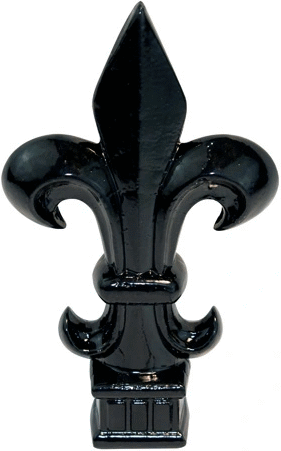 Finial 05
finial0005
Finial 05
finial0005
 Finial 06
finial0006
Finial 06
finial0006
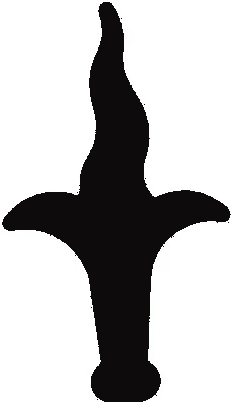 Finial 07
finial0007
Finial 07
finial0007
 Cap 01
cap0001
Cap 01
cap0001
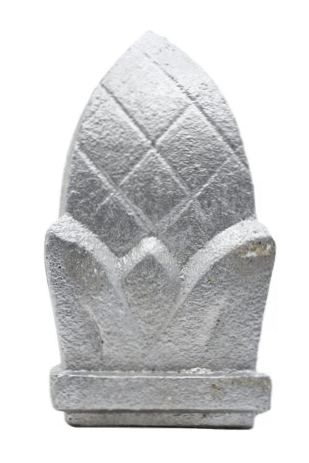 Cap 02
cap0002
Cap 02
cap0002
 Cap 03
cap0003
Cap 03
cap0003
 Cap 04
cap0004
Cap 04
cap0004
 Cap 05
cap0005_6_2.125_1782762823317
Cap 05
cap0005_6_2.125_1782762823317
 Cap 07
cap0007_3_1.063_1783370709580
Cap 07
cap0007_3_1.063_1783370709580
 Cap 08
cap0008_2_1_1783370858161
Cap 08
cap0008_2_1_1783370858161
 Cap 09
cap0009_4_1.625_1783371000527
Cap 09
cap0009_4_1.625_1783371000527
 Knuckle 04
knuckle0004_0.675_0.675_1782437389178
Knuckle 04
knuckle0004_0.675_0.675_1782437389178
 Knuckle 06
knuckle0006_0.25_1.75_1782438206513
Knuckle 06
knuckle0006_0.25_1.75_1782438206513
 Knuckle 07
knuckle0007_0.75_1.75_1782438318974
Knuckle 07
knuckle0007_0.75_1.75_1782438318974
 Knuckle 7326
scan_08ab5c124a9a_0.5_0.75_1782437107326
Knuckle 7326
scan_08ab5c124a9a_0.5_0.75_1782437107326
 Knuckle 7045
scan_6cbe30c531bc_0.5_0.075_1782436157045
Knuckle 7045
scan_6cbe30c531bc_0.5_0.075_1782436157045
 Knuckle 9611
scan_449e6c0cb653_1_2.5_1782438009611
Knuckle 9611
scan_449e6c0cb653_1_2.5_1782438009611
 Baluster 02
baluster0002_0.5_45.25_1782363990942
Baluster 02
baluster0002_0.5_45.25_1782363990942
 Baluster 03
baluster0003_0.5_45.25_1782363990942
Baluster 03
baluster0003_0.5_45.25_1782363990942
 Band fill 06
band fill · 44-30-12S · 3.5 x 3.5
Band fill 06
band fill · 44-30-12S · 3.5 x 3.5
 Band fill 07
band fill · 13-10042-101 · 3-15/16 x 3-15/16
Band fill 07
band fill · 13-10042-101 · 3-15/16 x 3-15/16
 Band fill 08
band fill · 13-10042-102 · 3.94 x 3.94
Band fill 08
band fill · 13-10042-102 · 3.94 x 3.94
 Band fill 01
band fill · 13-20024-590 · 4-15/16 x 8-7/16
Band fill 01
band fill · 13-20024-590 · 4-15/16 x 8-7/16
 Band fill 10
band fill · 13-31024-371 · 2.69 x 3.94
Band fill 10
band fill · 13-31024-371 · 2.69 x 3.94
 Band fill 11
band fill · 13-10042-321 · 3.94 x 9.063
Band fill 11
band fill · 13-10042-321 · 3.94 x 9.063
 Band fill 05
s scroll · 13-80-A11 · 2-9/16 x 5-7/8
Band fill 05
s scroll · 13-80-A11 · 2-9/16 x 5-7/8
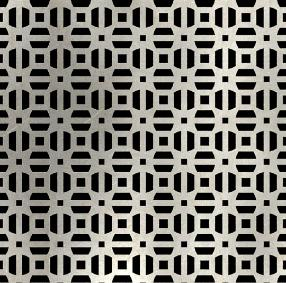 Mesh 01
mesh0001
Mesh 01
mesh0001
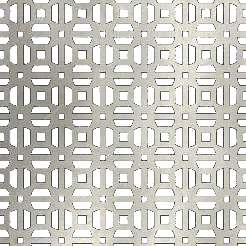 Mesh 02
mesh0002
Mesh 02
mesh0002
 Mesh 03
mesh0003
Mesh 03
mesh0003
 Mesh 04
mesh0004
Mesh 04
mesh0004
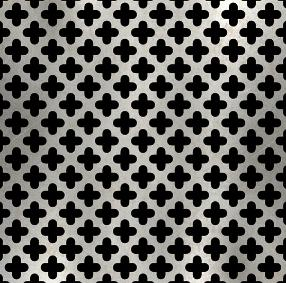 Mesh 05
mesh0005
Mesh 05
mesh0005
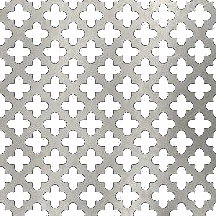 Mesh 06
mesh0006
Mesh 06
mesh0006
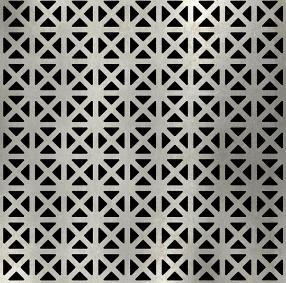 Mesh 07
mesh0007
Mesh 07
mesh0007
 Mesh 08
mesh0008
Mesh 08
mesh0008
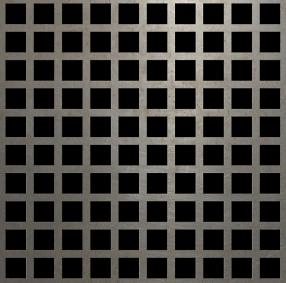 Mesh 09
mesh0009
Mesh 09
mesh0009
 Mesh 10
mesh0010
Mesh 10
mesh0010
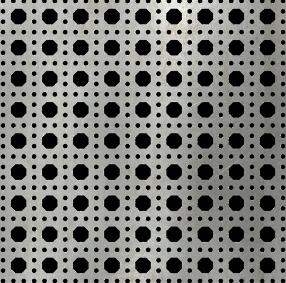 Mesh 11
mesh0011
Mesh 11
mesh0011
 Mesh 12
mesh0012
Mesh 12
mesh0012
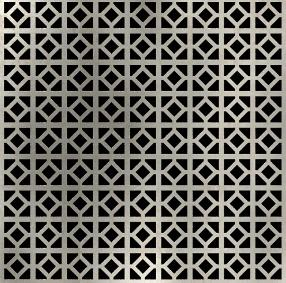 Mesh 13
mesh0013
Mesh 13
mesh0013
 Mesh 14
mesh0014
Mesh 14
mesh0014
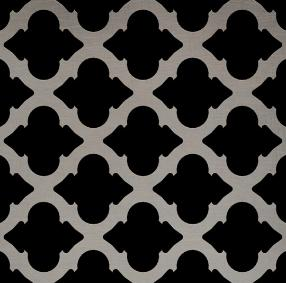 Mesh 15
mesh0015
Mesh 15
mesh0015
 Mesh 16
mesh0016
Mesh 16
mesh0016
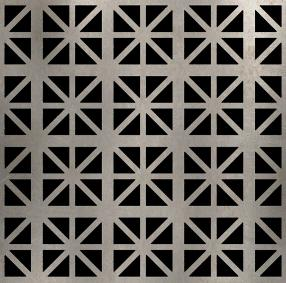 Mesh 17
mesh0017
Mesh 17
mesh0017
 Mesh 18
mesh0018
Mesh 18
mesh0018
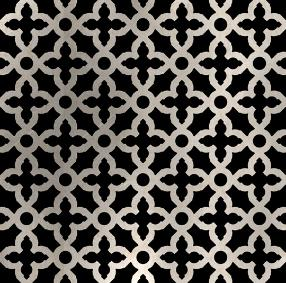 Mesh 19
mesh0019
Mesh 19
mesh0019
 Mesh 20
mesh0020
Mesh 20
mesh0020
Mesh images are read directly from images/artistic_components/mesh. Use the Gate Designer mesh scale control to adjust apparent opening size until each pattern has measured metadata.
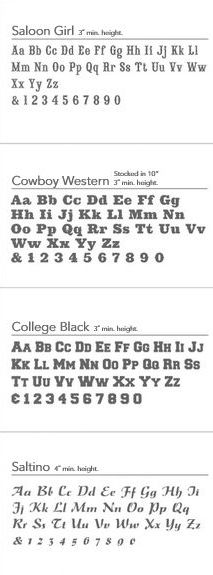
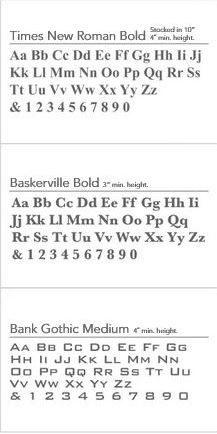
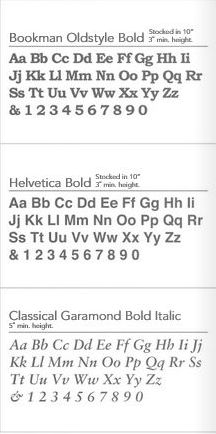
Managed font files used for custom cut letters. These can be used by Gate Designer for a more accurate visual preview once the font loader is connected.
Fonts are grouped by supplier when supplier information is available. Fonts without supplier information are shown under Common fonts.

 Decorative fill 01
decorative_fill0001
Decorative fill 01
decorative_fill0001
 Decorative fill 02
decorative_fill0002
Decorative fill 02
decorative_fill0002
 Decorative fill 03
decorative_fill0003
Decorative fill 03
decorative_fill0003
 Decorative fill 04
decorative_fill0004
Decorative fill 04
decorative_fill0004
 Decorative fill 05
decorative_fill0005
Decorative fill 05
decorative_fill0005
 Decorative fill 06
decorative_fill0006
Decorative fill 06
decorative_fill0006
 Decorative fill 07
decorative_fill0007
Decorative fill 07
decorative_fill0007
 Decorative fill 08
decorative_fill0008
Decorative fill 08
decorative_fill0008
 Decorative fill 09
decorative_fill0009
Decorative fill 09
decorative_fill0009
 Decorative fill 10
decorative_fill0010
Decorative fill 10
decorative_fill0010
 Decorative fill 11
decorative_fill0011
Decorative fill 11
decorative_fill0011
 Decorative fill 12
decorative_fill0012
Decorative fill 12
decorative_fill0012
 Decorative fill 13
decorative_fill0013
Decorative fill 13
decorative_fill0013
 Decorative fill 15
decorative_fill0015
Decorative fill 15
decorative_fill0015
 Decorative fill 16
decorative_fill0016
Decorative fill 16
decorative_fill0016
 Decorative fill 17
decorative_fill0017
Decorative fill 17
decorative_fill0017
 Decorative fill 18
decorative_fill0018
Decorative fill 18
decorative_fill0018
 Decorative fill 19
decorative_fill0019
Decorative fill 19
decorative_fill0019
 Decorative fill 20
decorative_fill0020
Decorative fill 20
decorative_fill0020
 Decorative fill 21
decorative_fill0021
Decorative fill 21
decorative_fill0021
 Decorative fill 22
decorative_fill0022
Decorative fill 22
decorative_fill0022
 Decorative fill 23
decorative_fill0023
Decorative fill 23
decorative_fill0023
 Decorative fill 24
decorative_fill0024
Decorative fill 24
decorative_fill0024
 Decorative fill 25
decorative_fill0025
Decorative fill 25
decorative_fill0025
 Decorative fill 26
decorative_fill0026
Decorative fill 26
decorative_fill0026
 Decorative fill 27
decorative_fill0027
Decorative fill 27
decorative_fill0027
 Decorative fill 28
decorative_fill0028
Decorative fill 28
decorative_fill0028
 Decorative fill 29
decorative_fill0029
Decorative fill 29
decorative_fill0029
 Decorative fill 30
decorative_fill0030
Decorative fill 30
decorative_fill0030
 Decorative fill 31
decorative_fill0031
Decorative fill 31
decorative_fill0031
 Logo 02
logo0002
Logo 02
logo0002
 Logo 04
logo0004
Logo 04
logo0004
 Logo 07
logo0007
Logo 07
logo0007
 Logo 11
logo0011
Logo 11
logo0011
 Panel 01
panel0001
Panel 01
panel0001
 Panel 02
panel0002
Panel 02
panel0002
 Panel 03
panel0003
Panel 03
panel0003
 Panel 04
panel0004
Panel 04
panel0004
 Panel 07
panel0007
Panel 07
panel0007
 Panel 09
panel0009
Panel 09
panel0009
 Panel 10
panel0010
Panel 10
panel0010
 Panel 10
panel0010_mask - Copy
Panel 10
panel0010_mask - Copy
 Panel 11
panel0011
Panel 11
panel0011
 Panel 14
panel0014
Panel 14
panel0014
 Panel 15
panel0015
Panel 15
panel0015
 Panel 15
panel0015_mask - Copy
Panel 15
panel0015_mask - Copy
 Panel 17
panel0017
Panel 17
panel0017
 Panel 18
panel0018
Panel 18
panel0018
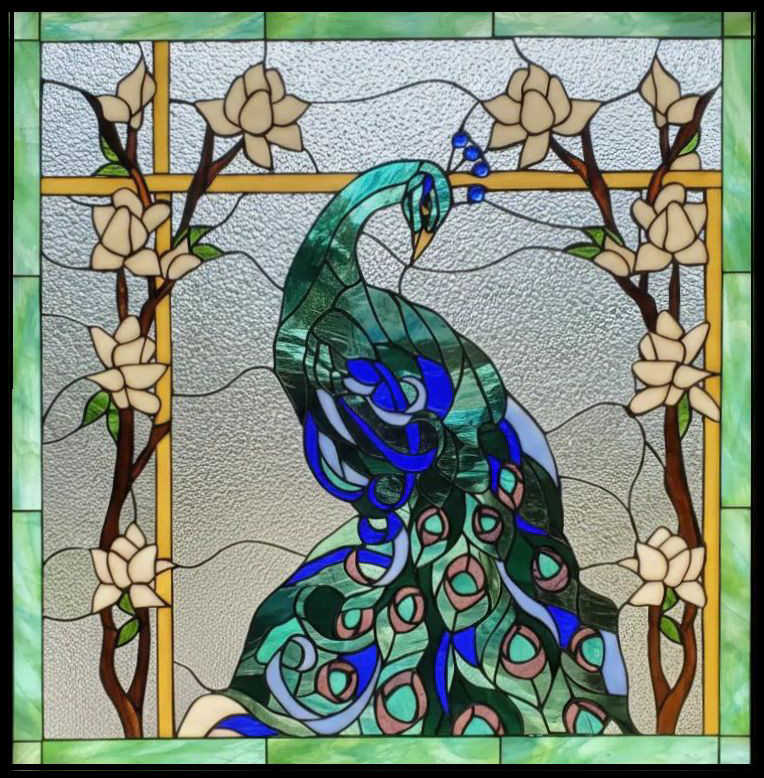 Stained glass panel 14
10014_24_24
Stained glass panel 14
10014_24_24
 Stained glass panel 5982
125982_22_22
Stained glass panel 5982
125982_22_22
Stained glass panels are read from images/artistic_components/panels/glass and remain part of the Panels family.
 Rectangular bordered fill 05
panel0005
Rectangular bordered fill 05
panel0005
 Rectangular bordered fill 06
panel0006
Rectangular bordered fill 06
panel0006
 Rectangular bordered fill 08
panel0008
Rectangular bordered fill 08
panel0008
 Rectangular bordered fill 12
panel0012
Rectangular bordered fill 12
panel0012
 Rectangular bordered fill 13
panel0013
Rectangular bordered fill 13
panel0013
 Oval bordered fill 05
logo0005
Oval bordered fill 05
logo0005
 Oval bordered fill 06
logo0006
Oval bordered fill 06
logo0006
 Oval bordered fill 08
logo0008
Oval bordered fill 08
logo0008
 Oval bordered fill 09
logo0009
Oval bordered fill 09
logo0009
 Oval bordered fill 10
logo0010
Oval bordered fill 10
logo0010
 Circle bordered fill 14
decorative_fill0014
Circle bordered fill 14
decorative_fill0014
 Circle bordered fill 01
logo0001
Circle bordered fill 01
logo0001
 Circle bordered fill 03
logo0003
Circle bordered fill 03
logo0003
Styles are the two vertical ends of the gate. Mullions are optional vertical pieces between them. The open bays between styles and mullions are kept equal, and pickets are spaced within each bay.